
See who's working and on what. Fix companies' PCs from anywhere using AI.
A live board for every Windows work PC, a fair daily score, and AI that fixes your employees' PCs.
No screenshots. No keystroke logging.






Know who's working, without asking.
The live board shows every PC: the app in front, its time, and today's active time.
11:00. Who's actually working?
One look at the board answers it. No calls, no check-in messages.
Green means online. Offline cards show the last working day.
17:00. Did Sofia earn today's points?
Why this score?
shows she did. Seven productive hours earn the day; 6h 59m earns zero.
Idle time doesn't count. AI judges each app against the job title.
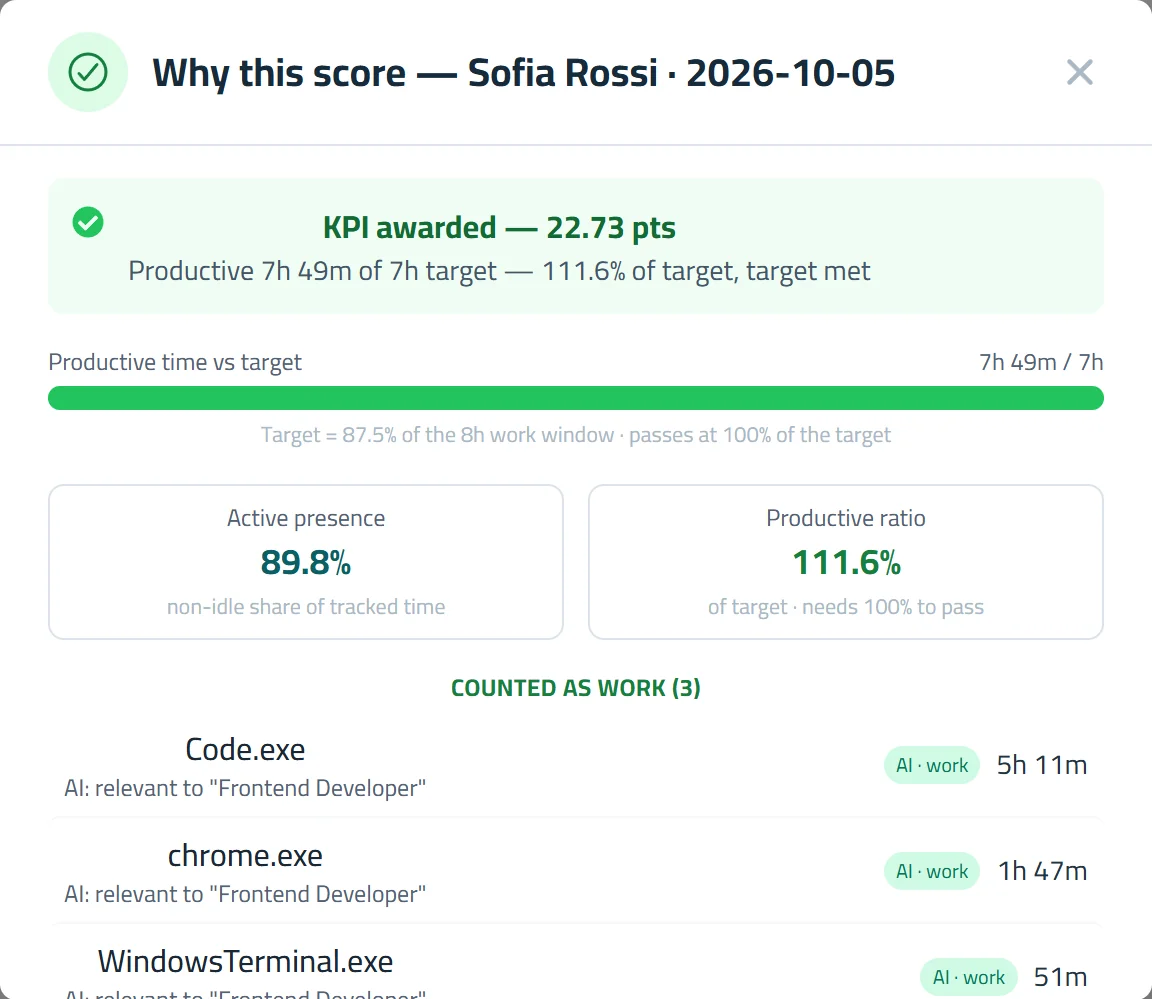
Why this score?panel.
Fix an employee's PC from your browser or mobile remotely.
See and control their screen live. No visit, no extra tool, no ports to open.
Examples (there are many more):
Example 1 of 5An admin signs Amara in to the supplier portal from the browser.


The pcActivity bar at the top, with its Stop button, shows only if your company turns it on.
Fix your employees' PCs with AI remotely from your browser or your mobile.
An employee's PC has a problem. You type it in plain words; the AI fixes it on their PC while you watch.
- Each step gets a short, plain title.
- Deleting, shutdown, registry or account changes wait for your Run.
- Their screen and the AI in one panel.
Example 1 of 6Freeing space on an employee's full C: drive.
Examples (there are many more):
These are just examples — describe any problem in plain words.
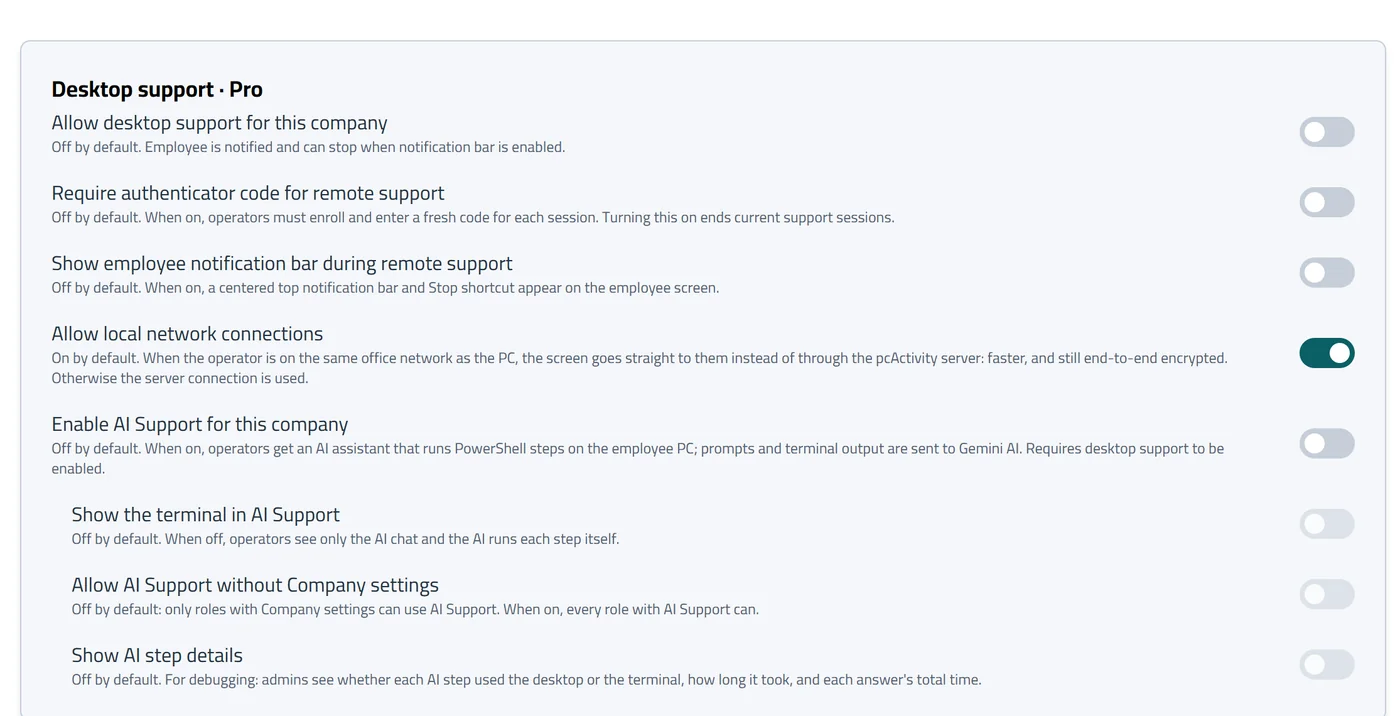
Off until you turn it on.
Remote access and AI stay off until your company allows them.
- Roles decide who can connect
- Optional authenticator code for each session
- Every session in Log Viewer, with its reason
- Screens are live only, never recorded
Simple price per employee.
14-day free trial with every Business feature, including AI, for up to 10 PCs. No card. 30-day money-back.
Pro
- Live board, apps and window titles
- Daily scores with their reasons
- Desktop Support: remote desktop and terminal
Business Recommended
- Everything in Pro
- AI Desktop Support: the AI fixes PCs for you
- AI working time for employees
- 12 months of activity history
Prices are per employee PC, taxes included. Yearly billing is $72 (Pro) or $120 (Business) per PC per year. Plans renew automatically each month or year until you cancel. Cancel anytime in Account › Billing: your plan runs to the end of the paid period, then stops.
Free trial: 14 days, every Business feature including AI, up to 10 PCs, no card. If you don't add a card, the trial ends and nothing is charged. Adding PCs mid-period is charged for the days left, on your next invoice. Removing PCs lowers the price from your next renewal.
Full refund within 30 days of your first payment (refund policy). Charged by CoderTo, LLC. It appears on your statement as CODERTO* PCACTIVITY or similar, depending on your bank. See the terms.
See who's working. Fix their PCs with AI.
14 days free. No card needed.